Send forms to pet owners, and build them with CoPilot
Swap paper and PDF forms for forms pet owners fill in and sign on their phone. Send them from your dashboard or share them on your website and a waiting-room tablet. And PetsApp CoPilot can now create and edit forms with you, with more pages to follow.
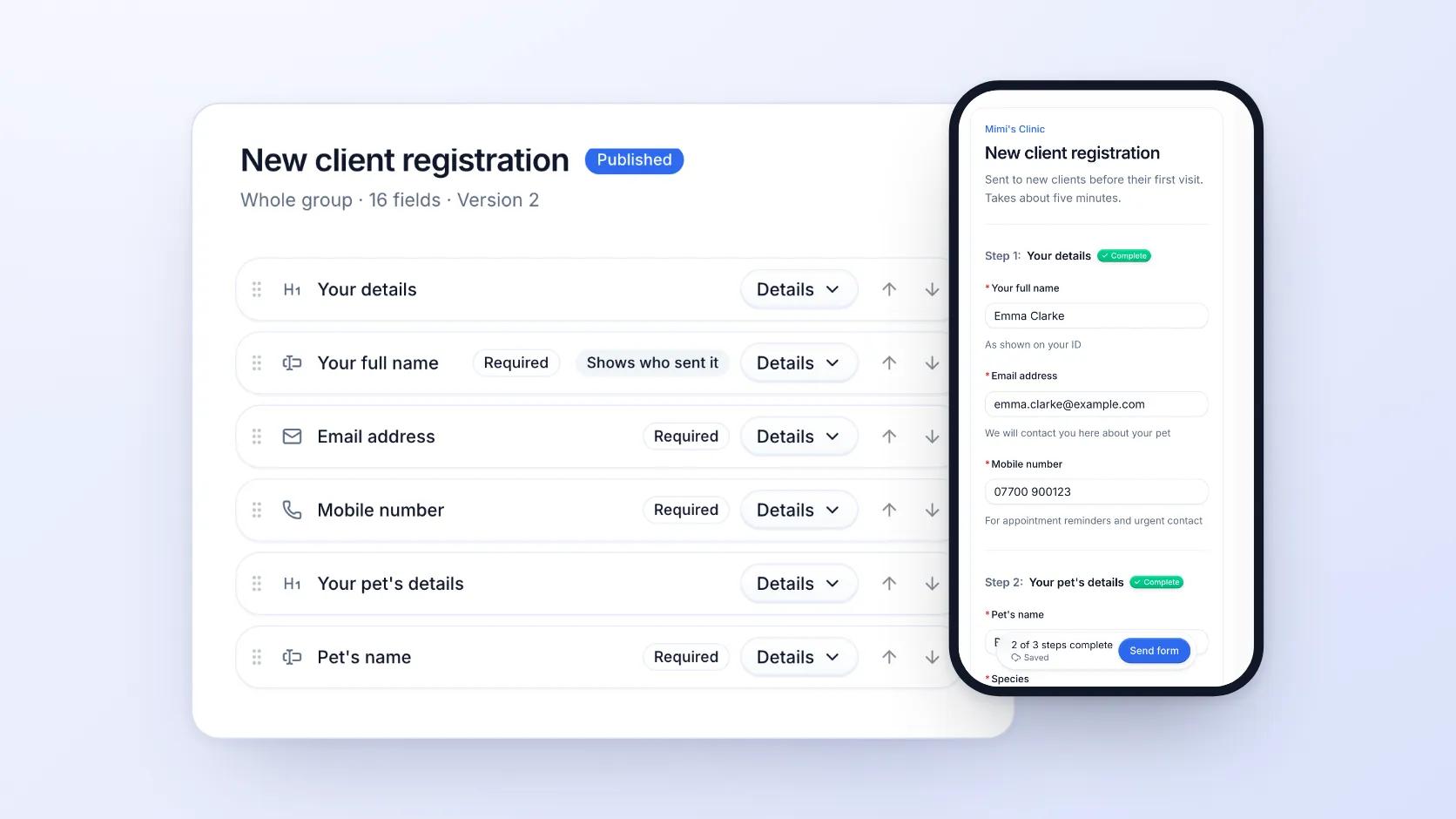
Registration, medical history and consent forms can now go out from PetsApp. Owners fill them in and sign on their phone, and the answers come back to your dashboard, ready to review.
- Build your own forms from text, choice, date, consent and signature questions, and choose which clinics can use each one.
- Send a form to a client in the PetsApp app or by SMS, or to a new client who isn’t on PetsApp yet.
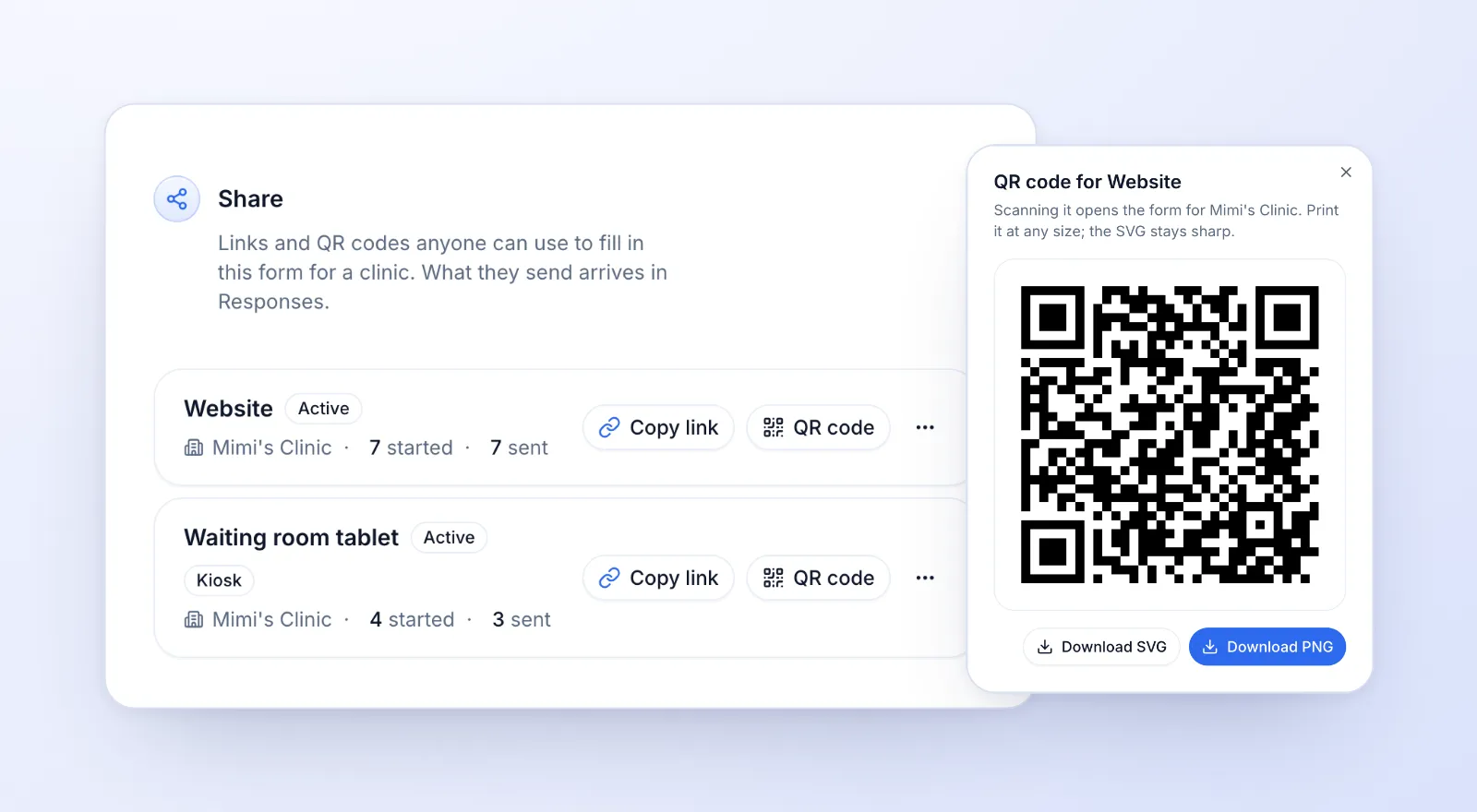
- Share a link on your website, or print its QR code for the waiting room.
- Review every response with the owner’s signature and a full history of what happened.
Send a form and see where it’s got to
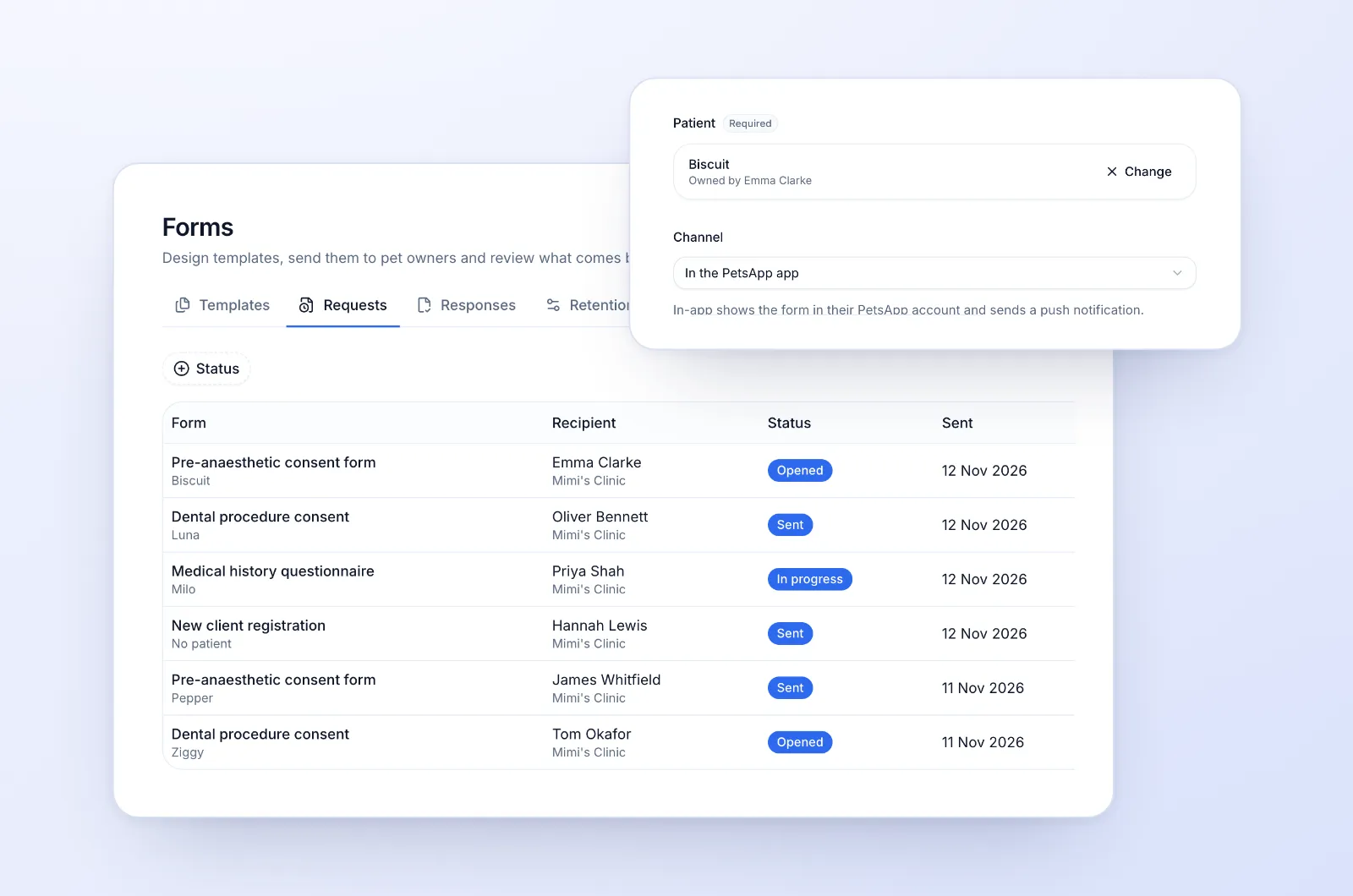
Choose a form and a pet, and PetsApp sends it to the owner: in the PetsApp app with a push notification, or by SMS with a secure link. New clients without the app get a link by SMS and register as they fill it in. Details you already hold, like the owner’s address or the pet’s date of birth, can be filled in for them.
The Requests tab shows which forms are sent, opened or in progress. Send a reminder in a click, or withdraw a request you no longer need.
Easy for owners to fill in
Forms work in the PetsApp app and in any phone browser. Answers save as the owner goes, they sign with their finger, and they can look back at what they sent.
Share a form on your website or in the waiting room
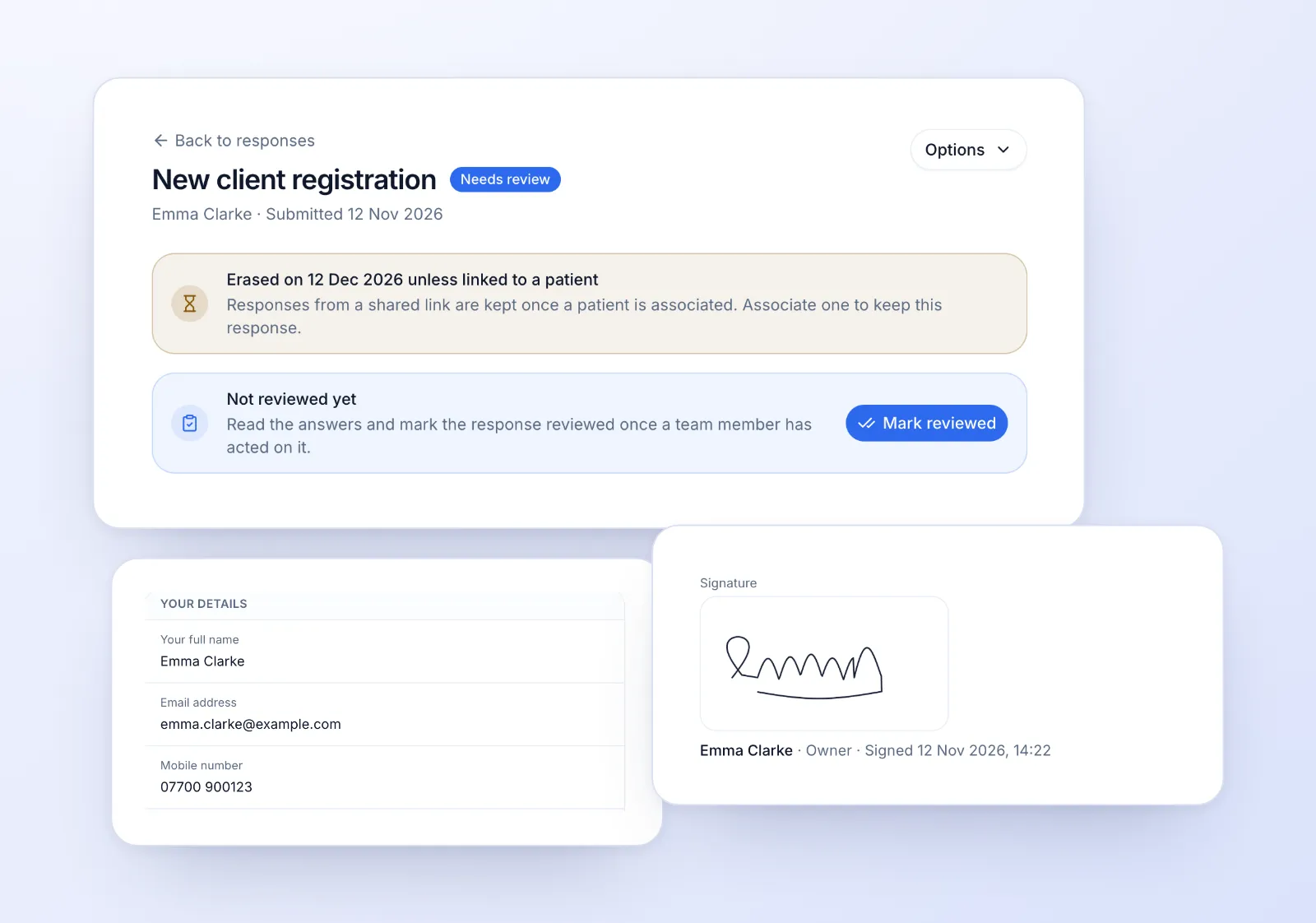
Add a link to a form and put it on your website, or download its QR code to print. A kiosk link suits a tablet at reception: it clears after each submission, so the next client starts a blank form and can’t see the previous answers. Responses from a link arrive in your dashboard. Link one to a patient to keep it; responses you don’t link are deleted after 30 days.
Review responses
Each response shows the owner’s answers question by question, their signature and when they signed. Mark it reviewed once your team has acted on it, link it to the patient, or download it as a PDF. A history records every step, from sending the form to the signature.
Administrators can set how long responses are kept, for the whole group or clinic by clinic, and PetsApp deletes them when that time is up.
CoPilot can do more, starting with Forms
We’re giving PetsApp CoPilot more to do. Until now it drafted replies in your chat inbox. Now it can also make changes for you in the dashboard, and the Forms pages are the first place it can.
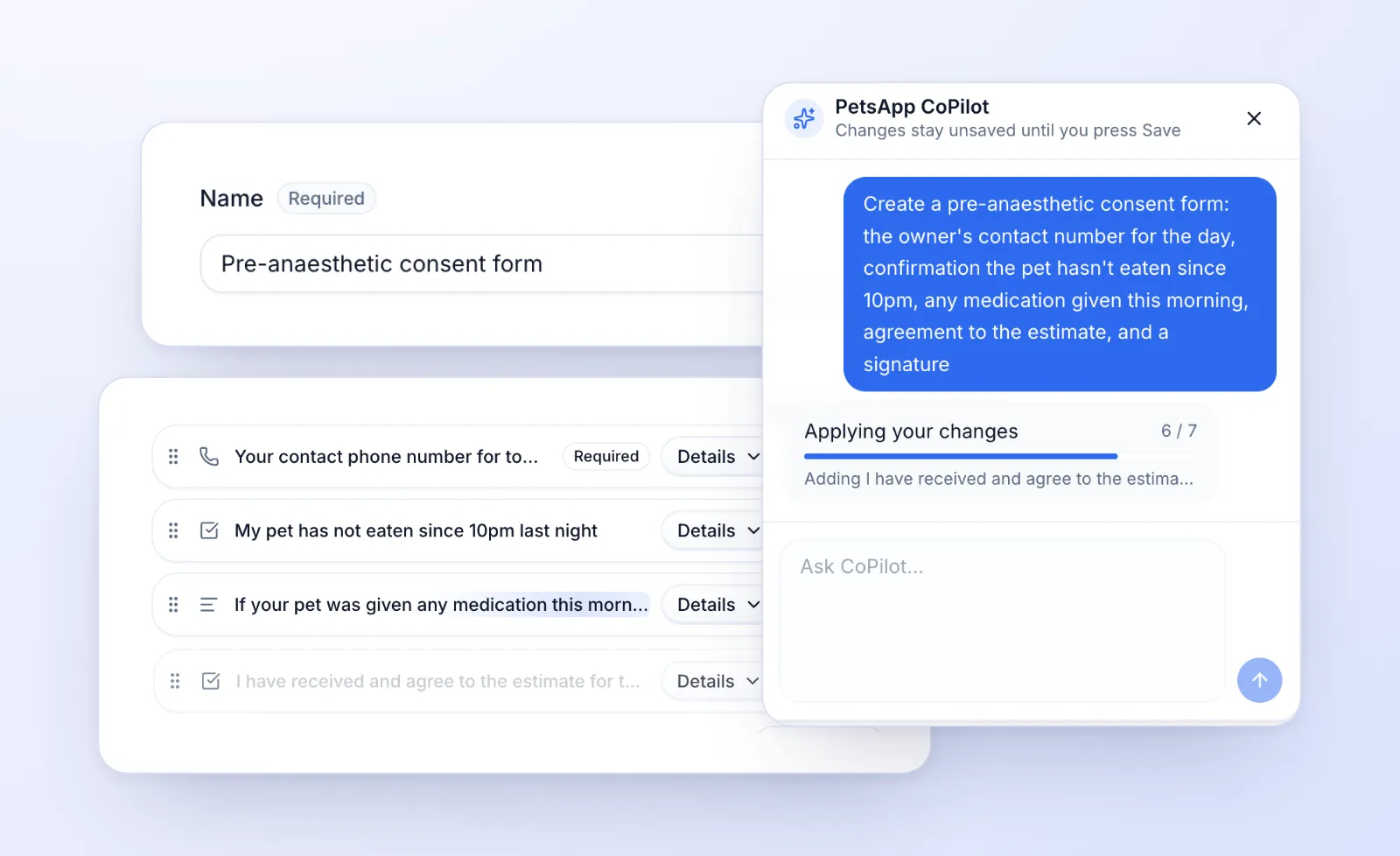
Describe the form you need, like “a pre-anaesthetic consent form with a contact number for the day, confirmation the pet hasn’t eaten and a signature”, and CoPilot creates it: the name, the description and the questions. Ask for changes to any form the same way, such as “add a question about allergies after the pet’s name, and make the email optional”. You see each change land on the page as it’s made.
Nothing is saved until you press Save, and you can undo CoPilot’s last change. We’ll bring CoPilot to more pages in the dashboard next.
Forms is rolling out to practices now. Book a demo to see it in action.